
Microsoft Copilot – your everyday companion
In layman’s terms, Microsoft Copilot is an AI assistant. You might have used ChatGPT, a generative AI tool that gives responses to your prompts in natural language. ChatGPT helps individuals create content, generate ideas, learn about a topic, and do more. For example, you can ask it to suggest an itinerary for your summer trip.
Microsoft, being a large enterprise software provider, wanted to create an enterprise-grade generative AI tool to help businesses boost their productivity. In 2023, Microsoft launched Copilot across its product suites including Microsoft 365, Dynamics 365, GitHub, and Azure. So, you can ask Copilot about any information that you have authorization to access on these systems. You can ask it to help you write a business proposal using information from an email, create a presentation using the product document, summarize missed meetings, create data narratives from visualization reports, create your daily sales report, and whatnot.
The underlying philosophy of Copilot is to free knowledge workers from drudgery and make them feel connected to the core of their job.
If you want to know more about Microsoft Copilot, I suggest reading this deepdive: Decoding Microsoft Copilot: A Comprehensive Guide for CXOs.
Key difference between Copilot and AI chatbots
– Microsoft CEO Satya Nadella on X
Let me break down what Satya said about Copilot.
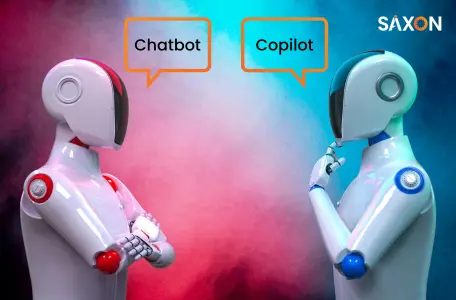
Microsoft Copilot is different from AI chatbots in their design, training, flexibility, conversational depth, scope, and functionality.
Let me take you through th ese factors to understand the difference between Copilot and AI chatbots.
Design
Training
Flexibility
Conversational depth
Scope
The scope of AI chatbots is more in customer service and knowledge management systems. They can understand your customer’s queries and provide relevant information. When the customer’s requirements are more complex, requiring a cross-functional solution, it might need human intervention as the systems are siloed.
Copilot can handle such complex situations with ease. For example, Copilot for Dynamics 365 integrates into various departments in your organization, such as marketing, sales, finance, supply chain, etc. So, your sales team can see the movement of goods while promising deliveries to customers. To ensure security, Microsoft Copilot uses role-based access controls so that your copilot can access a file only if you have authorization to do so.
Functionality
Should you dump your AI chatbots to implement Copilot?
Microsoft Copilot is more than an AI chatbot. It can perform mundane tasks of your knowledge workers and enable them to focus on what truly adds value to their work. AI chatbots perform exceptionally well within their scope using matured ML and NLP models. This is the key difference between Copilot and AI chatbots.
I wouldn’t say Copilot is a genie that will grant you a million wishes for 100X growth. But, when done right, Copilot is a powerful tool that can bring a significant cultural shift and operational excellence, strengthening the core of your business.
Whether Copilot is a nice-to-have or a must-have for your business depends on your specific needs.
Like any other technology, Copilot adoption in business is a double-edged sword. Because, with great power comes great risks. You need to integrate Copilot into your tech stack very strategically. Identify the potential use cases for Copilot, create a concrete roadmap, and identify risks and challenges while implementing Copilot in your enterprise. Should you need any help at any phase in this journey, we at Saxon AI are more than happy to help you. If you are not sure whether you have potential use cases for Copilot in your business, we are offering exclusive consulting services and tailored workshops with POCs that help you see beyond the obvious.